Why does Outlook send winmail.dat attachments?
When composing an email in Outlook, there are 3 ways to format your email: Plain Text, Rich Text, or HTML. By default, Outlook uses HTML format when composing new emails.
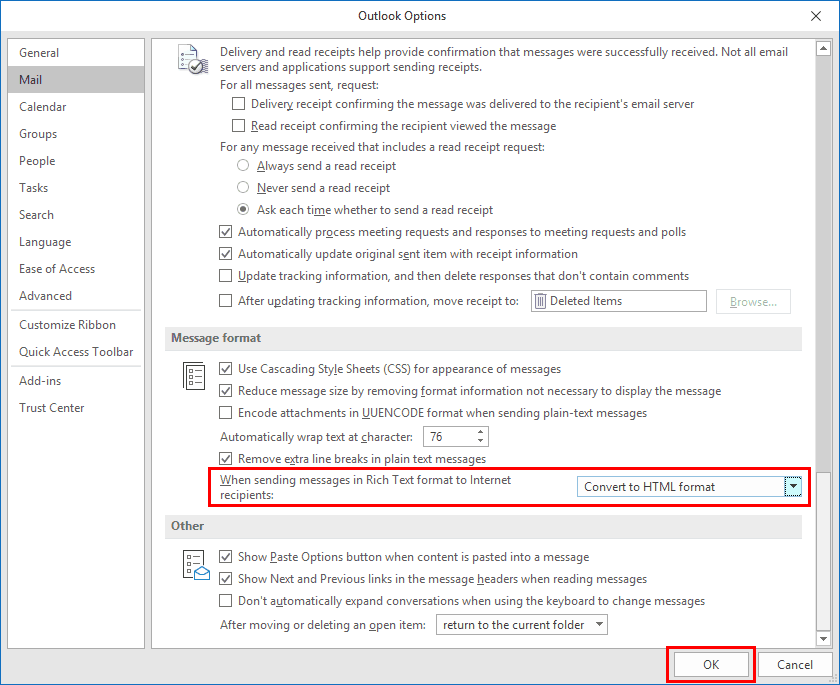
The winmail.dat attachment is added to Outlook when you send an email using the Rich Text format that has text enhancements such as bolding, italics, font sizes or any other features that are available with Rich Text format. The file is attached to the email because it contains instructions on how other email clients should format the text.
This only happens when composing in Rich Text format because Plain Text format doesn’t have the ability to add text enhancements, and HTML format includes all the enhancements in the HTML code itself, so there is no need for a winmail.dat file.
The winmail.dat problem happens with all versions of Outlook from 2003 onwards.