How to Add a Local Account Password
If your local account does not have a password yet, but you want the computer to require a password to sign in to your account, you can refer to the following method to add the local account password.
1. Click the [Start]  icon on the middle of the taskbar ①, and then select [Settings] ②.
icon on the middle of the taskbar ①, and then select [Settings] ②.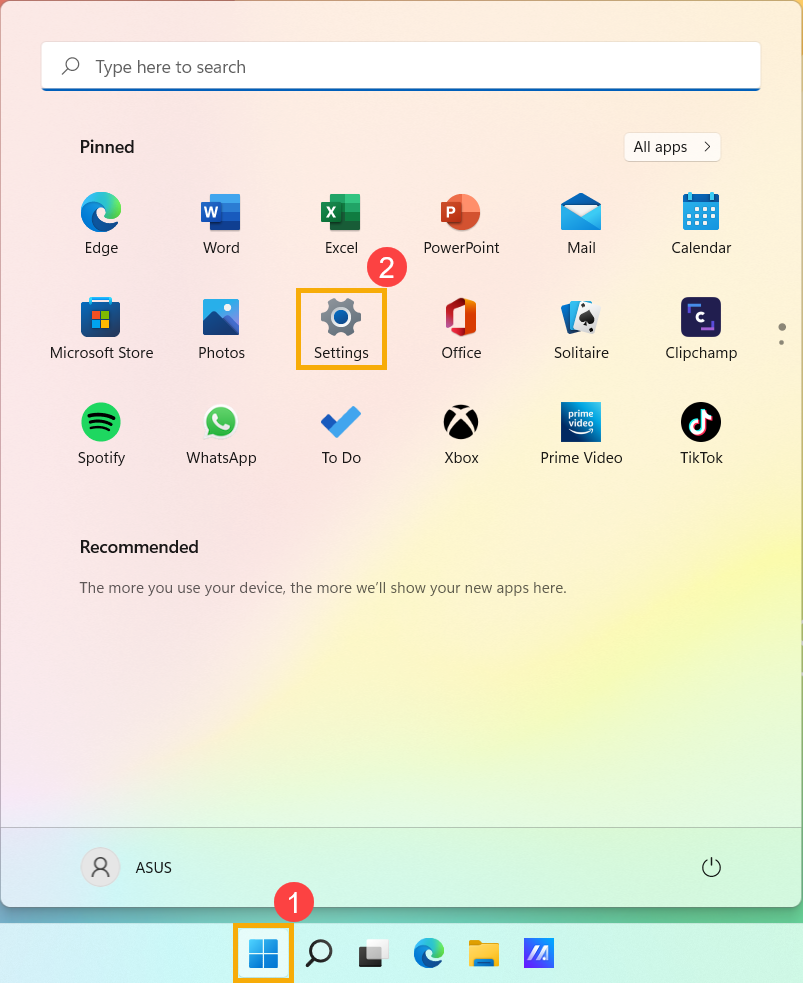
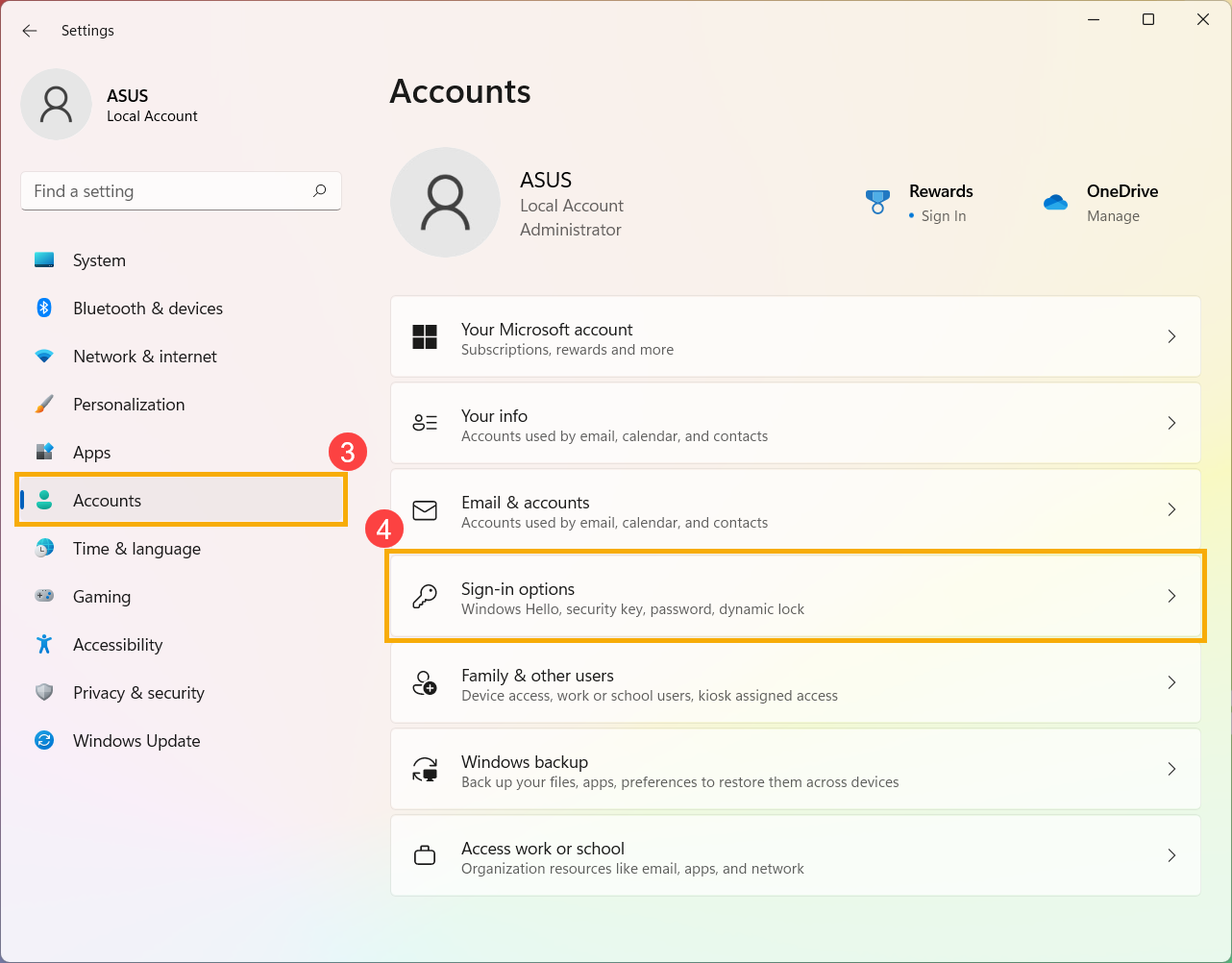
2. Select [Accounts] ③, and then select [Sign-in options] ④.
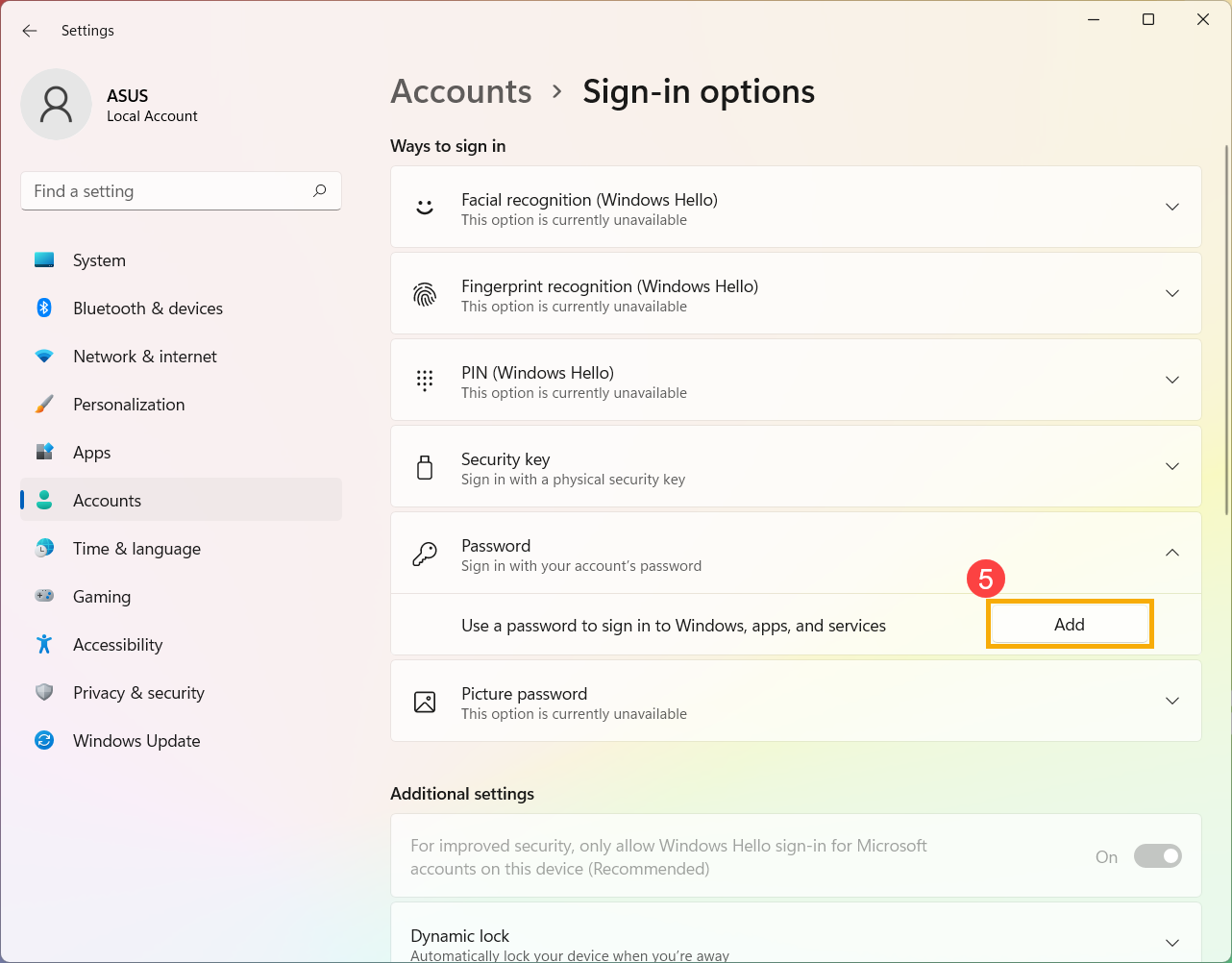
3. Select Password, and then click [Add] ⑤.
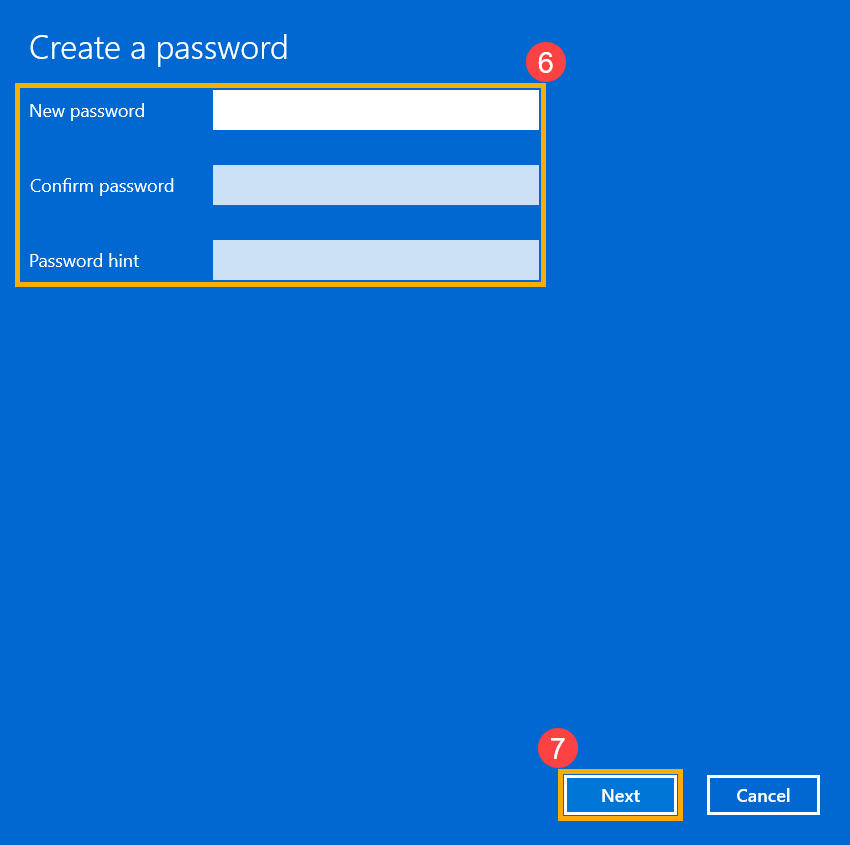
4. Enter the Password and Password hint you want ⑥, and then select [Next] ⑦.
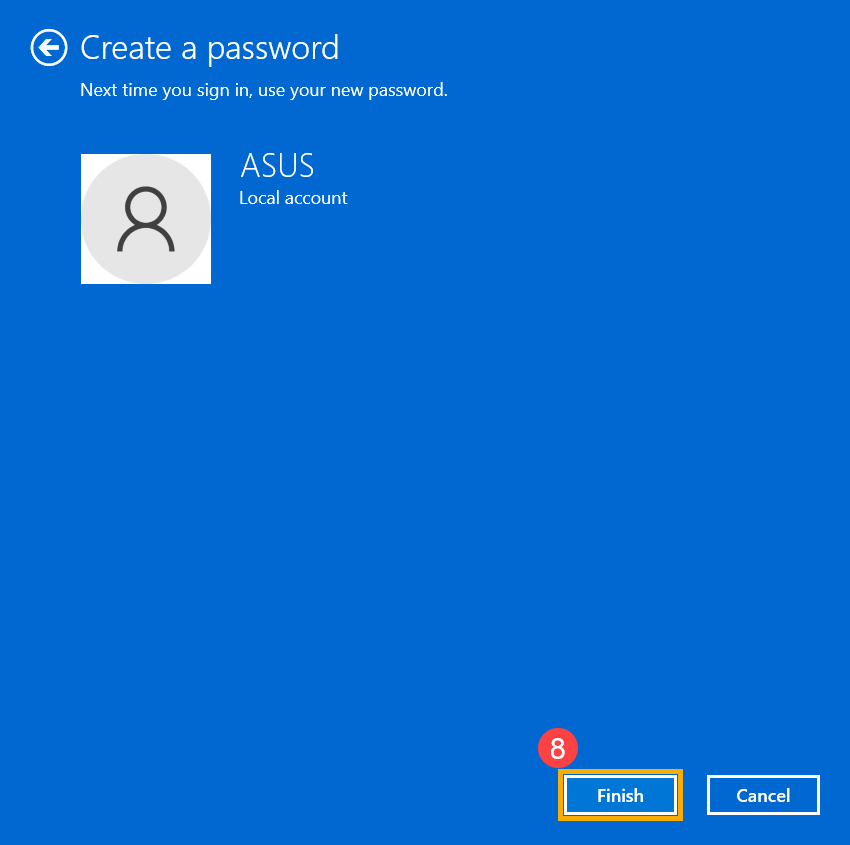
5. Select [Finish] ⑧ and the password will be created. The computer will require the password next time when you sign in.